
Your competitors are adjusting pricing, launching new ad creative, publishing content that outranks yours, and showing up in AI answers you didn’t know existed — often all in the same week. Competitor monitoring tools exist to catch those moves early, but most teams end up with fragmented data scattered across platforms, and by the time they’ve pieced it together, the window to respond has closed.
![Download Now: 10 Competitive Analysis Templates [Free Templates]](http://fliegewiese.org/wp-content/uploads/2026/04/b3ec18aa-f4b2-45e9-851f-6d359263e671.png)
I’ve organized 15 tools across five marketing use cases (SEO, AI search visibility, social media, paid ads, and web/pricing monitoring) around the question that really matters: Will this help my team act faster?
Table of Contents
- What are competitor monitoring tools?
- Competitor Monitoring Tools by Marketing Use Case
- How to Choose Competitor Tracking Tools
- How to Turn Signals Into Action with Competitor Monitoring Tools
- Frequently Asked Questions About Competitor Monitoring Tools
The key distinction is between monitoring and analysis.
- Analysis is a point-in-time exercise. You pull up a competitor’s backlink profile, study it, and walk away with a snapshot.
- Monitoring is continuous. It watches for ranking shifts, new ad launches, pricing changes, or drops in your AI visibility score, and flags them before your next team meeting.
That difference matters because competitive intelligence decays fast. A competitor’s pricing change is most valuable the day it happens, not two quarters later in a strategy review. The tools worth paying for are the ones that shorten the gap between signal and action.
This guide is organized around that principle. Instead of ranking tools by popularity or feature count, I’ve grouped them by marketing use case: SEO, AI search visibility, social media, paid ads, and web change and pricing monitoring. Each section covers paid options with honest tradeoffs, and I’ve included a dedicated section on free tools so you can validate which categories matter before committing budget.
Competitor Monitoring Tools by Marketing Use Case
SEO Competitor Analysis Tools
SEO competitor analysis tools help marketers and SEO professionals identify which keywords competitors are ranking for and which pages bring in the most traffic. Teams also get an estimate of how much traffic competing sites receive.
1. Ahrefs
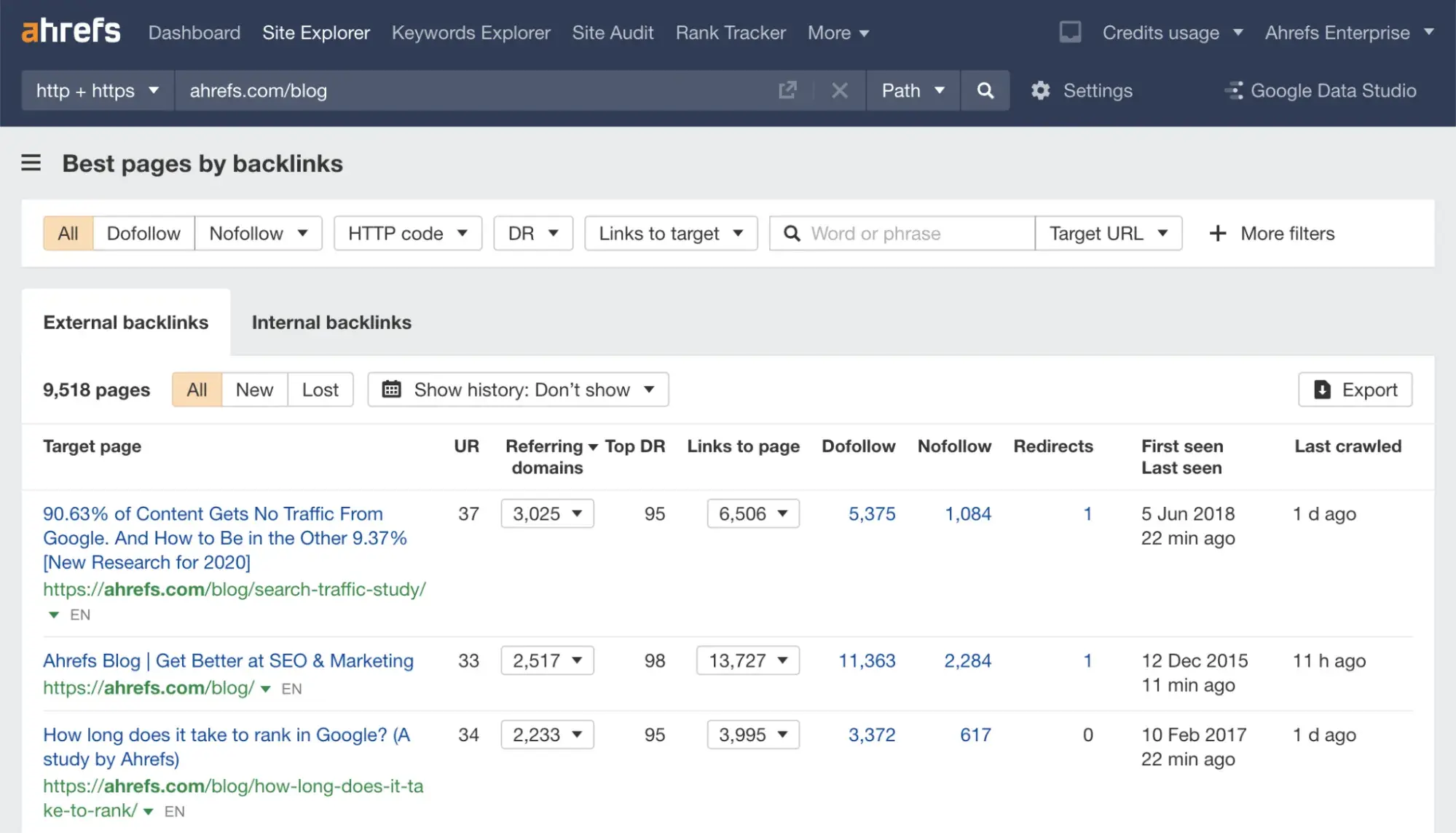
Ahrefs is the best SEO tool for competitor backlink intelligence, based on my research. Ahrefs claims to have the “world’s largest index of live backlinks” (updated every 15 to 30 minutes), which means it can give you near-real-time visibility into who’s linking to your competitors and why.
I recommend using the “Best by links” report to see which competitor pages attract the most backlinks. This can give you valuable ideas on what to write about next. For example, Ahrefs’s most linked-to blog posts are research and statistics, so if I wanted to try to outrank that blog, I might conduct original research or gather statistics to publish pieces that attract more backlinks.
Ahrefs Pros:
- In-depth index of live backlinks updated every 15-30 minutes
- Content Gap tool compares up to 10 competitors at once to find keywords they rank for that you don’t
- Site Explorer shows any domain’s top pages, organic keywords, and backlink profile
- Brand Radar monitors any brand’s AI search visibility across major LLMs
- Rank Tracker monitors keyword positions over time
- Alerts for new/lost backlinks, keyword movements, and brand mentions
Ahrefs Cons:
- No free trial, so you’ll have to pay to evaluate the tool
- Single user per account on Lite, Standard, and Advanced. Additional seats cost $40-$80/mo each
- Less historical data than SpyFu on mid-tier plan (2 years on Ahrefs Standard versus 10+ years on SpyFu Pro + AI)
Starts at $29/mo on the Starter plan, which includes 1 project and 50 tracked keywords. Brand Radar add-on starts at $199/mo and tracks AI search visibility across ChatGPT, Perplexity, Gemini, Google AI Overviews.
Best for: Competitor backlink analysis
2. Semrush
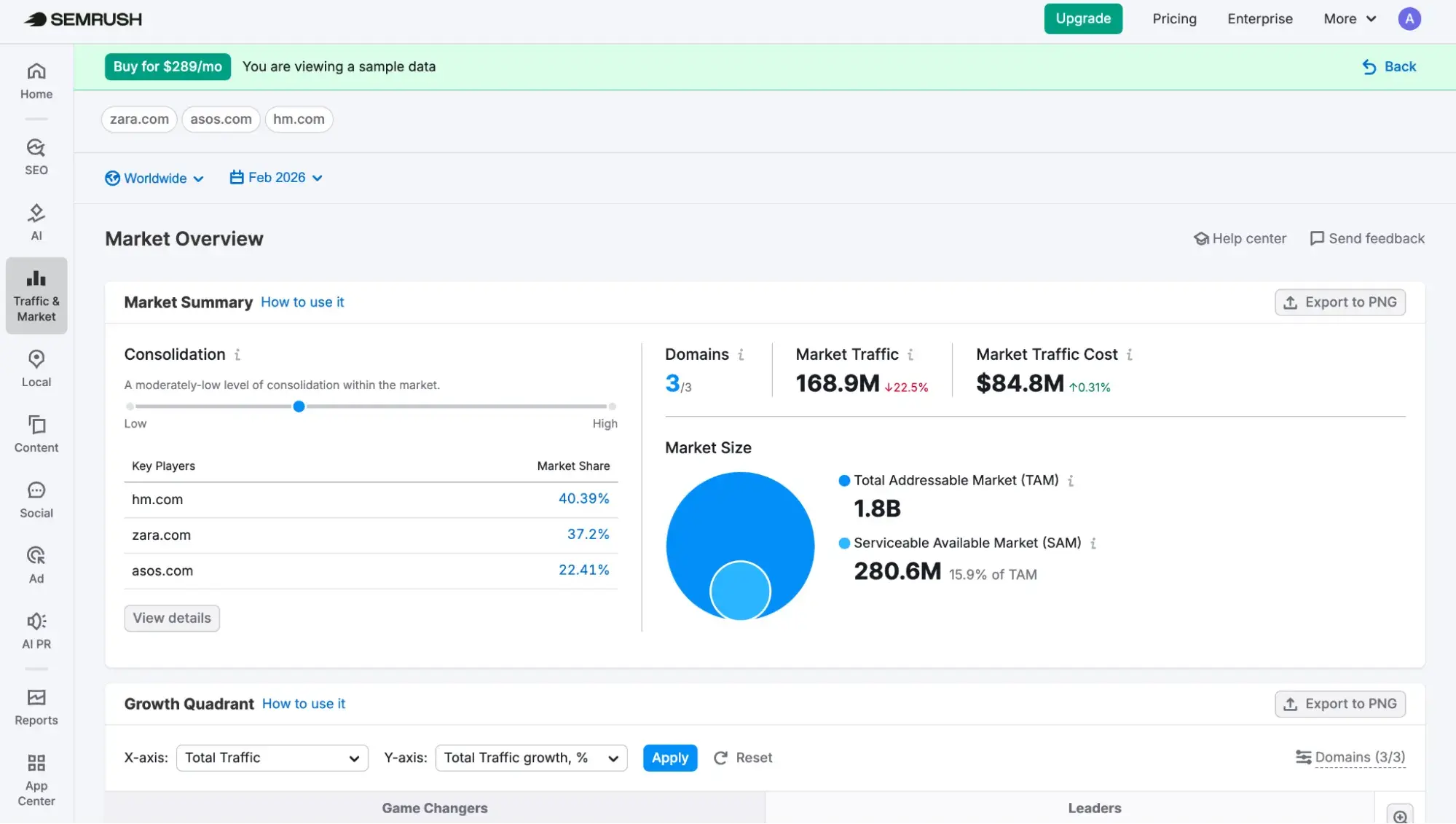
Semrush is the tool I use for keyword gap analysis, market sizing, and tracking competitor rankings over time. Semrush’s historical data goes back to January 2012, which is further than Ahrefs’s lookback period of June 2015 (though SpyFu’s SEO ranking data reaches back to 2006 if you need the deepest historical view).
I recommend starting with the Keyword Gap tool, which lets you compare your domain against up to four competitors side by side and instantly see keywords they rank for that you don’t. From there, Market Overview takes it a step further, showing your total addressable market, market share, and competitor traffic metrics, which is useful when you’re trying to answer the bigger strategic question of “How big is the opportunity, and where are we losing?”
Semrush Pros:
- Keyword Gap tool for side-by-side competitor keyword comparison
- Market Overview provides total addressable market, market share, and competitor traffic metrics
- Position Tracking monitors daily rankings across locations down to the zip code level
- Historical data going back to January 2012 (vs. Ahrefs’ June 2015 and SpyFu’s 2006 for SEO ranking data)
- Free plan available (10 queries/day, 10 tracked keywords). Enough to evaluate before committing
Semrush Cons:
- Most expensive starting price of the three SEO tools on this list (SEO Classic Plans start at $139.95/mo versus Ahrefs’ $29/mo Starter and SpyFu’s $39/mo Basic)
- Keyword Gap limits you to adding up to four competitor domains per comparison (vs. Ahrefs’ Content Gap, which allows up to 10)
- PPC historical data goes back ~14 years — less than SpyFu’s 18+ years
- Can feel overwhelming; the sheer number of tools and reports can mean a steeper learning curve for new users
Semrush’s SEO Classic toolkit has a free plan (10 queries/day, 10 tracked keywords, 100 audited pages). Paid plans start at $139.95/mo monthly or $117.33/mo annually for 5 websites, 500 tracked keywords.
Best for: Competitor keyword and market intelligence
3. SpyFu
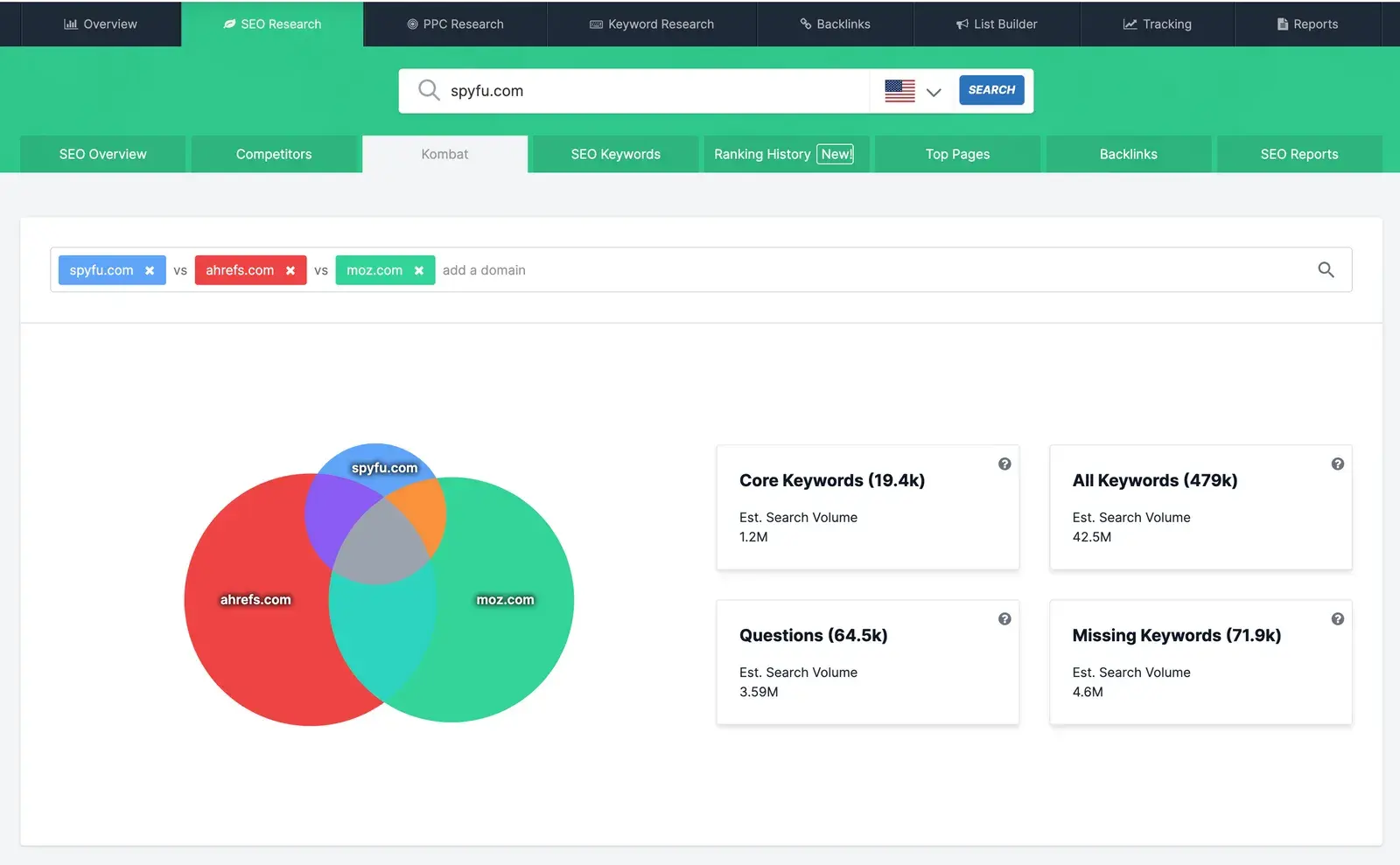
SpyFu stands out for its 18+ years of competitive data — the deepest historical archive of the three tools on this list. On the paid side, its ad history reaches back to 2007, so you can see which keywords a competitor has bid on consistently for years (a signal of proven ROI) versus which ones they tested briefly and abandoned. On the organic side, SpyFu’s SEO ranking data goes back to 2006, and its Ranking History report charts how any domain’s search positions have shifted over time, making it easy to spot seasonal ranking patterns or strategic pivots you’d miss with Ahrefs’ shorter lookback window (data from as far as June 2015) or Semrush’s (January 2012).
I recommend starting with the Kombat tool, which uses a Venn diagram to visualize keyword overlap between your domain and competitors. It breaks results into sections like “Missing Keywords” (keywords your competitors rank for that you don’t) and “Core Keywords” (terms every competitor targets, indicating must-have opportunities). It’s similar to Semrush’s Keyword Gap and Ahrefs’ Content Gap, but with a visual layout.
SpyFu Pros:
- Deepest historical data of any tool on this list — 18+ years of PPC back to 2007 and SEO data back to 2006
- Most affordable entry point for competitor intelligence ($39/mo, or $29/mo annual vs. Semrush’s $139.95/mo Pro and Ahrefs’ $129/mo Lite)
- Kombat tool visualizes keyword overlap across multiple competitors in a Venn diagram format
- 30-day money-back guarantee lets you evaluate risk-free (Ahrefs offers no trial or money-back guarantee)
- Pre-built Google Ads templates for different industries — useful for PPC teams launching quickly
SpyFu Cons:
- No site audit or technical SEO crawler — Semrush and Ahrefs both include these, making SpyFu less useful as a standalone SEO platform
- Interface feels dated next to Ahrefs and Semrush, though it’s functional
SpyFu plans start at $39/mo on a monthly basis or $29/mo on an annual basis. It offers a 30-day money-back guarantee.
Best For: Budget-friendly competitor keyword and PPC intelligence with deepest historical data
AI Search Competitive Analysis Tools
AI search competitive analysis tools track how often your brand (and your competitors’) gets cited in AI-generated answers. Traditional SEO tools weren’t built to measure this metric.
The practice behind these tools is called answer engine optimization (AEO), and it’s distinct from SEO. While SEO optimizes for rankings in search results, AEO focuses on whether your brand is mentioned, quoted, or recommended when someone asks an AI a question that your buyers are likely asking. It’s a complement to SEO, and right now, early movers are building compounding advantages that will be hard to catch up to if you wait too long.
1. HubSpot AEO
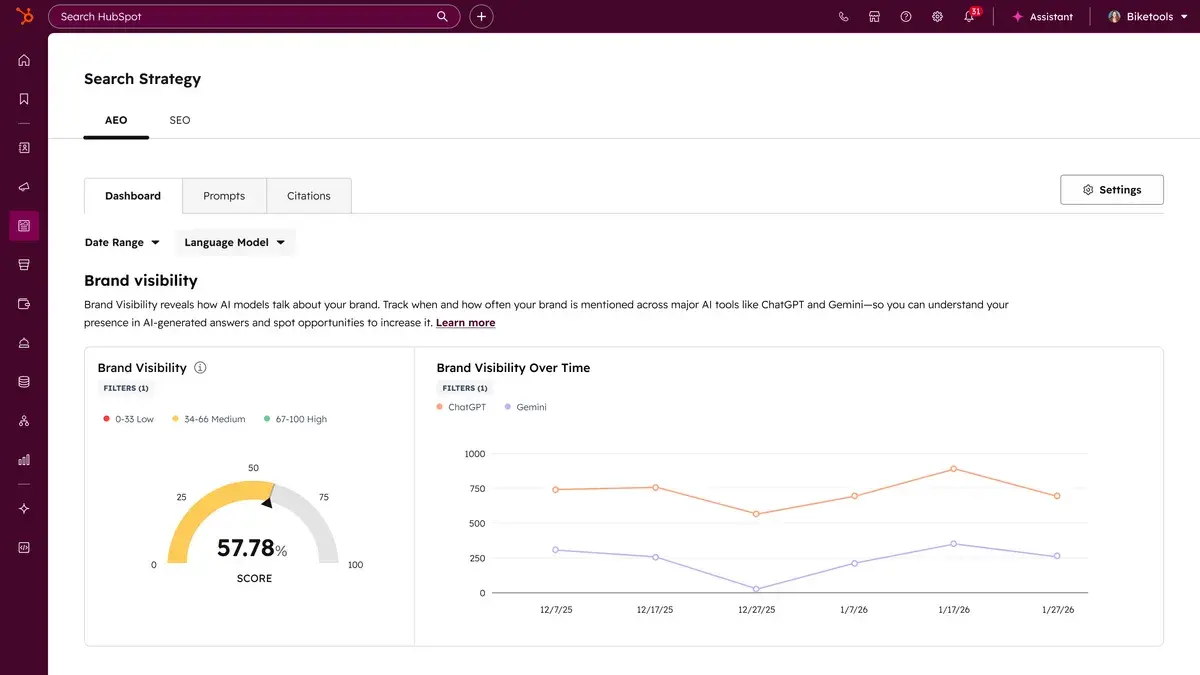
Most AEO tools show you where your brand is or isn’t getting cited and then leave you to figure out what to do about it. HubSpot AEO closes that gap by putting visibility data and content tools in the same system. For HubSpot Marketing Hub Professional and Enterprise customers, AEO is built into the platform you already use, so you can go from spotting a citation gap to publishing a response — a blog post, social content, or landing page — without switching tools or losing context.
I recommend starting with the Brand Visibility Dashboard, which gives you a single score: the percentage of your tracked prompts where your brand appears in AI answers across ChatGPT, Perplexity, and Gemini. From there, the Competitor Analysis view shows you Share of Voice (where rivals are getting cited and you aren’t), so you can prioritize which gaps to close first. What makes this more useful than a standalone monitoring tool is that, for Marketing Hub Pro and Enterprise customers, AEO recommendations are informed by your CRM data. Your industries, competitors, and customer segments shape which prompts get tracked, so you’re not starting from generic guesses.
HubSpot AEO Pros:
- Insight-to-action loop in one platform. Subscribers to Marketing Hub Pro or Enterprise can then act on citation gaps using HubSpot’s content and social tools without leaving the platform.
- CRM-powered prompt suggestions that get smarter over time, so tracking is tailored to your specific business and buyers.
- Multi-engine tracking (ChatGPT, Perplexity, Gemini) is included at every paid tier.
- Sentiment analysis shows how positively or negatively AI describes your brand, not just whether you’re mentioned.
- Built on HubSpot’s own AEO methodology, which the company used internally and reported a 1,850% increase in qualified leads and 433% improvement in citations.
HubSpot AEO Cons:
- Tracks three AI engines (ChatGPT, Perplexity, Gemini); Otterly adds Google AI Overviews, Google AI Mode, and Copilot.
- The full insight-to-action advantage requires a Marketing Hub Professional or Enterprise subscription; HubSpot AEO is available for purchase on its own and gives you visibility and recommendations, but not the content execution tools.
HubSpot AEO Pricing:
HubSpot AEO offers a free trial where you can track 10 prompts on ChatGPT for 28 days (280 answers/mo). Paid plans start at $50/mo.
Best for: Connecting AI visibility data to marketing action in one platform
2. Otterly
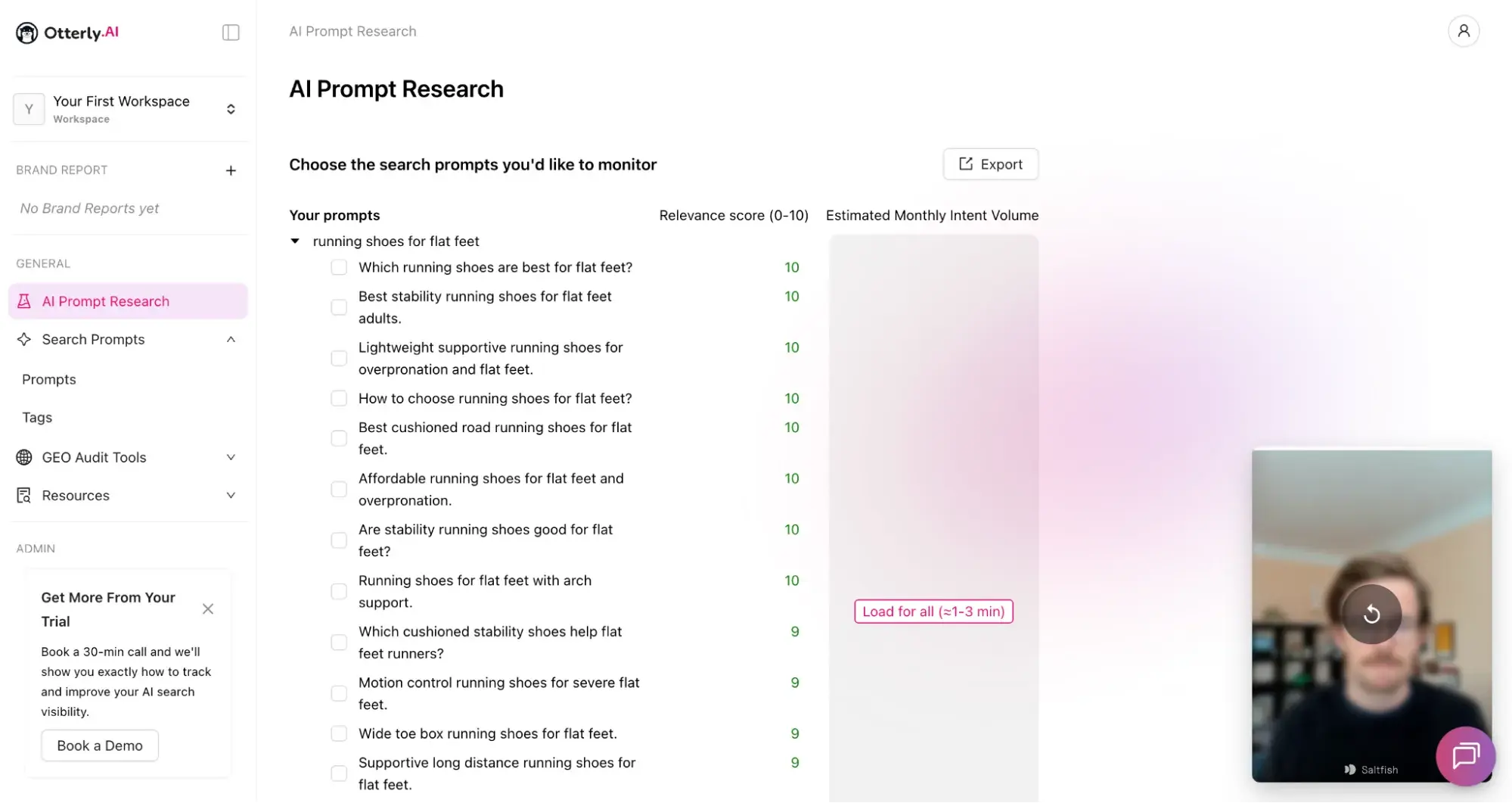
Otterly tracks brand mentions and website citations across six AI answer engines: ChatGPT, Google AI Overviews, Google AI Mode, Perplexity, Gemini, and Copilot. At $29/mo to start, it’s an affordable dedicated AEO tracking tool.
I recommend exploring the AI Prompt Research tool, which bridges one of AEO’s hardest gaps: figuring out which prompts your buyers are actually asking AI. You type in existing search prompts, SEO keywords, or a URL, and Otterly generates specific AI prompts scored by relevance. The onboarding is also unusually polished — guided video walkthroughs appear as you navigate each feature, which cuts the learning curve significantly.
Otterly Pros:
- Affordable starting price of $29/mo (or $25/mo on annual billing) for 15 search prompts
- AI Prompt Research translates existing SEO keywords into relevant AI prompts with relevance scores — saving real time on prompt discovery
- Brand sentiment monitoring gauges how positively, negatively, or neutrally AI engines talk about your brand
- Excellent onboarding experience with guided walkthroughs for each feature
Otterly Cons:
- Google AI Mode and Gemini are paid add-ons, inflating the true cost above the starting price
- Otterly identifies where you’re invisible, but doesn’t include content tools to fix it
- No CRM integration or business-context-aware prompt suggestions
Starts at $29/mo on monthly billing (Lite, 15 prompts); Gemini and Google AI Mode are paid add-ons.
Best for: Budget-friendly AI visibility monitoring with strong prompt research and agency reporting
Social Media Competitor Monitoring Tools
Social media competitor monitoring tools track what your competitors are posting, how their audiences respond, and how your brand’s share of voice compares across platforms.
1. Sprout Social
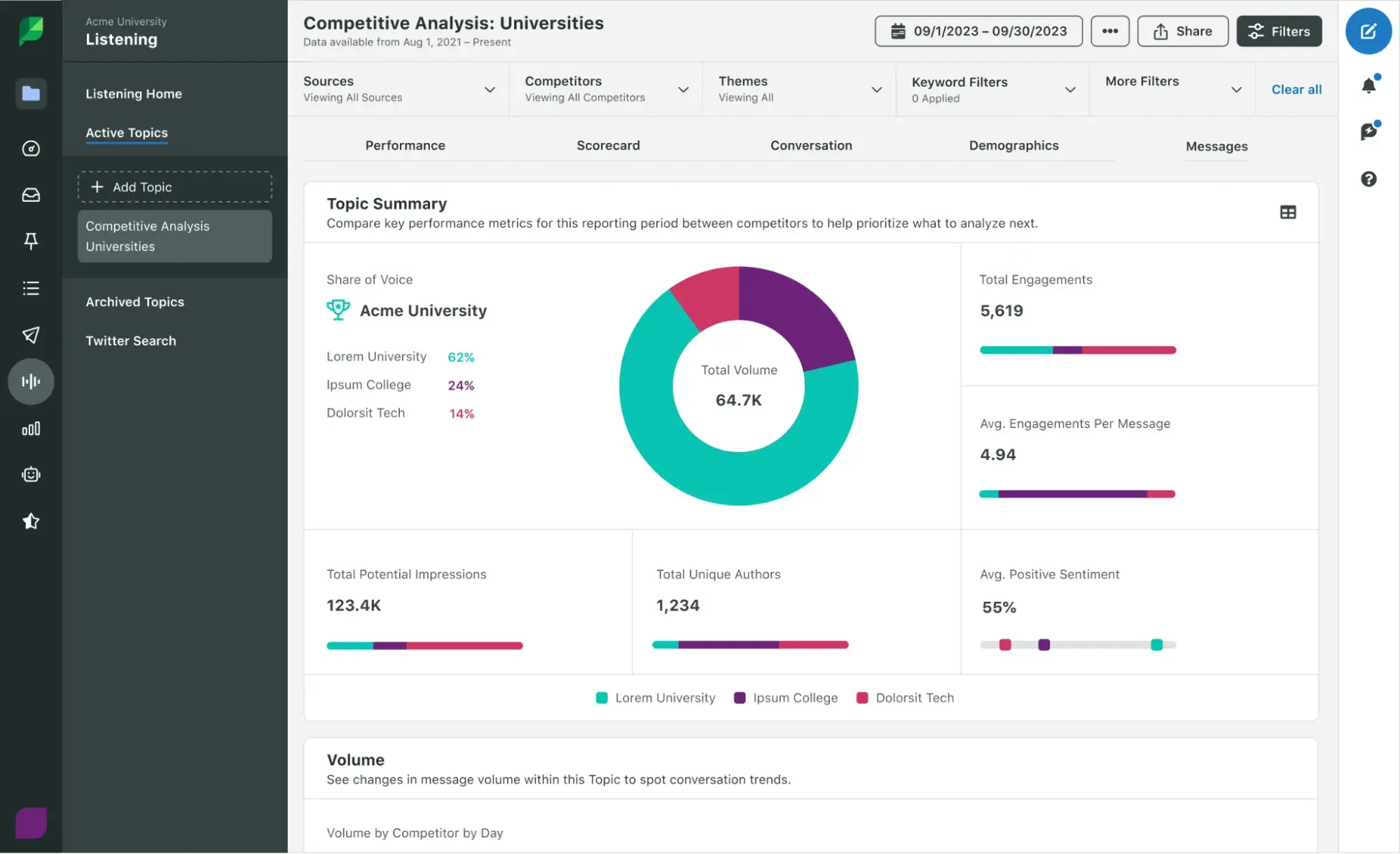
Sprout Social is an extremely comprehensive social media management platform, and its competitor analysis features are the main reason it’s on this list. The Competitor Performance Reports (available on Professional and above) let you benchmark your follower growth and engagement against competitors on Facebook, Instagram, and X.
I recommend pairing Competitor Reports with a Competitive Analysis Listening Topic, which uses Sprout’s Topic Template to track each rival across share of voice, sentiment, and impressions. This is where you go beyond what your competitors are saying to find out what others are saying about your competitors. Social Listening is a separately priced add-on (contact Sprout for a quote), so if your primary need is competitive benchmarking, the Competitor Reports included in the Professional plan may be sufficient on their own.
Sprout Social Pros:
- Competitor Performance Reports benchmark your social metrics against rivals on Facebook, Instagram, and X in a single dashboard
- Social Listening add-on tracks share of voice, sentiment, and conversation volume
- An all-in-one platform means publishing, engagement, and competitive data live in the same tool
- 30-day free trial lets you evaluate before committing to per-seat pricing
Sprout Social Cons:
- Competitor reports are locked behind the Professional tier ($299/seat/mo)
- Social Listening is a separate add-on that significantly increases total contract value
- Overkill if you only need competitive monitoring; you’re paying for a full publishing suite whether you use it or not
Sprout Social’s Social Media Marketing plan pricing starts at $99/seat/mo billed monthly (Essentials); competitor reports unlock at the Professional tier ($299/seat/mo billed annually).
Best for: Enterprise social teams that want competitor benchmarking, social listening, and publishing in one platform
2. Mentionlytics
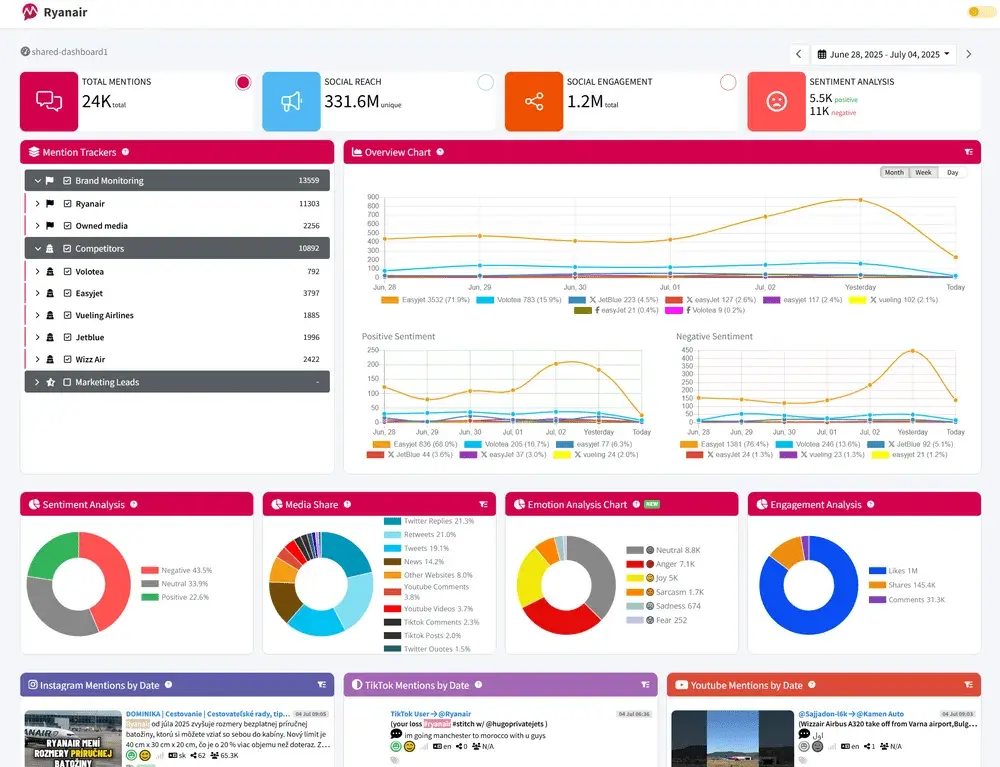
Mentionlytics monitors brand and competitor mentions across TikTok, X, Instagram, Facebook, LinkedIn, YouTube, Reddit, Bluesky, Telegram, plus blogs, news sites, and forums.
I recommend exploring SIA (Social Intelligence Advisor), Mentionlytics’ AI-powered feature that analyzes your mention data and generates personalized recommendations. It flags negative mentions, suggests optimal posting times, and monitors competitor activity automatically. It refreshes every 24 to 48 hours, giving you near-daily competitive signals without digging through dashboards.
Mentionlytics Pros:
- Broadest platform coverage on this list: TikTok, X, Instagram, Facebook, LinkedIn, YouTube, Reddit, Bluesky, Telegram, plus blogs, news, and forums
- SIA generates actionable recommendations and monitors competitors automatically
- 14-day free trial with no credit card required; Basic plan starts at $49/mo on annual billing
Mentionlytics Cons:
- Competitor monitoring gated behind higher-priced plan (Essential at $141/mo versus Basic at $49/mo on annual billing)
- Mention volume caps can be a limiting factor: The Basic plan includes 5,000 mentions, which may not be enough in highly active industries
Mentionlytics starts at $59/mo promotional rate (Basic, 5,000 mentions; $49/mo on annual billing); 14-day free trial available.
Best for: Small-to-mid-size teams that want full-featured social listening with competitor tracking at a fraction of the enterprise price
Paid Ads and Creative Monitoring Tools
Paid ads and creative monitoring tools reveal what ads your competitors are running, which creative approaches are working, and where they’re spending. For a deeper look at search ad intelligence, check out this PPC competitor analysis guide.
1. BigSpy
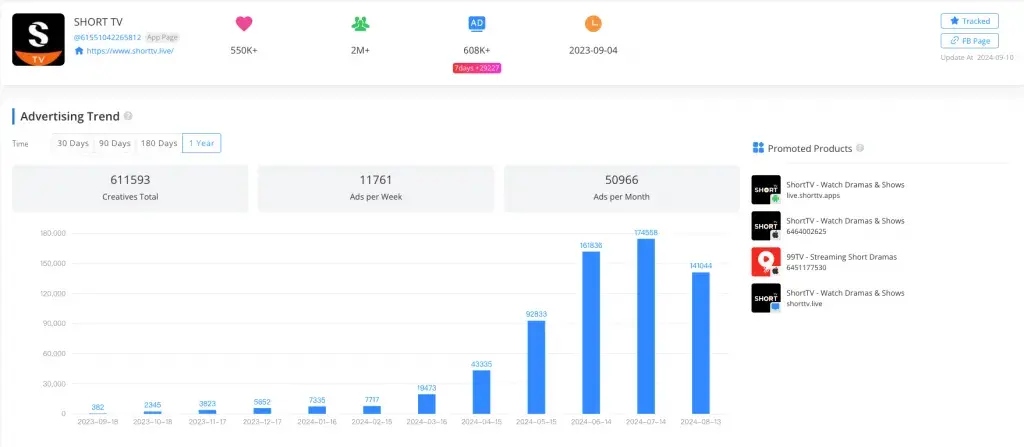
BigSpy claims to have a database of over 1 billion ad creatives covering nearly 10 million advertisers. It monitors ads across Facebook, Instagram, X, Pinterest, and Yahoo on its mid-tier plans, with YouTube, AdMob, and Unity available on the VIP Enterprise tier. BigSpy is a good option for marketers who need creative inspiration or want to see what’s working in a competitor’s social ad strategy.
BigSpy Pros:
- Access to a library of over 1 billion ad creatives to find ads to add to your swipe file
- Advanced multi-dimensional filtering (region, language, ad type, engagement metrics, etc.) lets you find high-performing creatives quickly
BigSpy Cons:
- Steep pricing gap between Basic ($19/mo) and Pro ($149/mo)
- AdMob, YouTube, and Unity are locked behind the VIP Enterprise tier (starting at $3,000/year)
BigSpy plans start at $19/mo (Basic), which gets you Facebook and Instagram. Pro ($149/mo) unlocks five more platforms; $1 three-day Pro trial is available.
Best for: Affordable, multi-platform social ad creative discovery and competitor inspiration
2. Adbeat
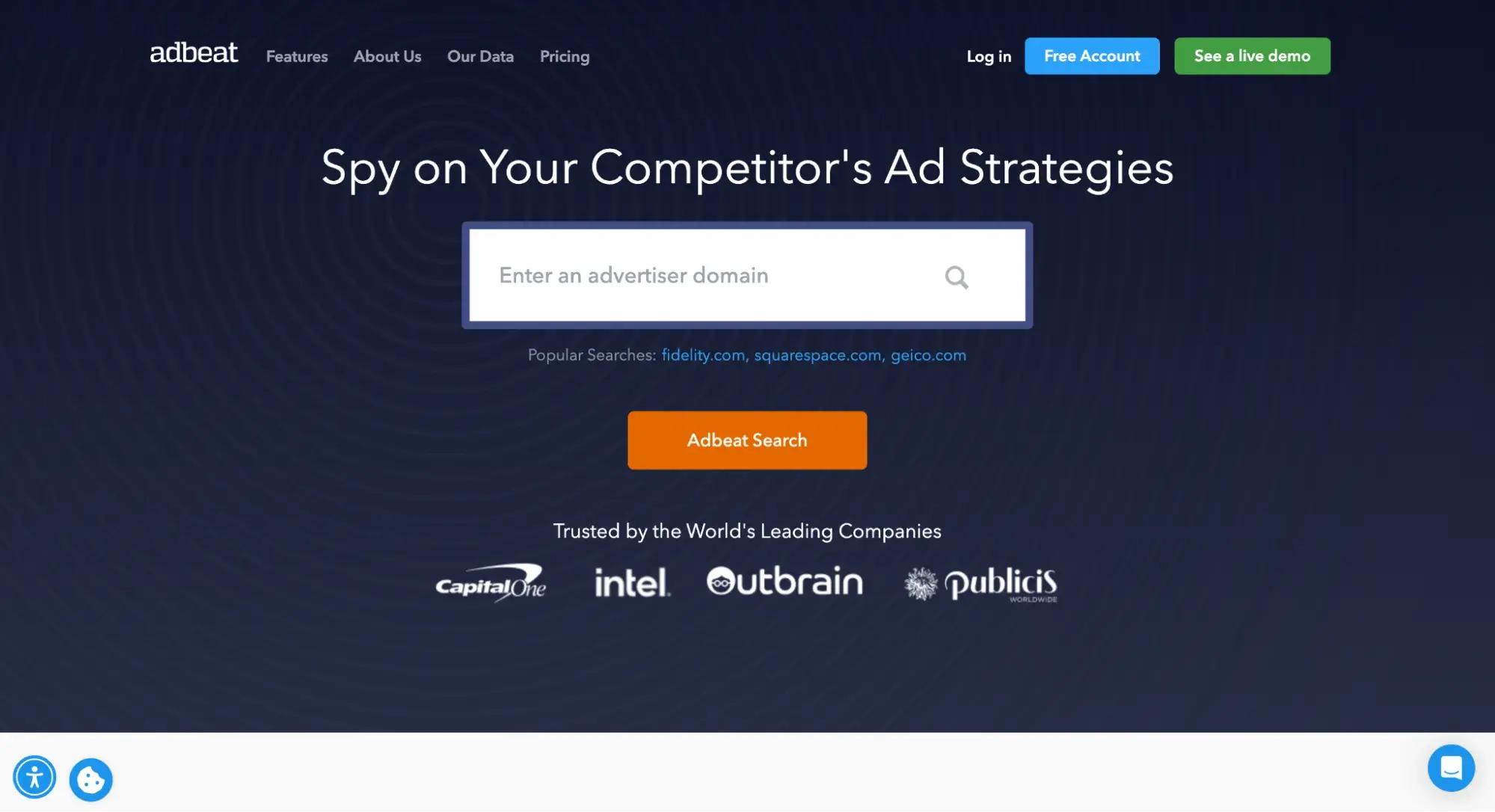
Adbeat tells you where competitors buy display and native traffic, how much they spend, and which publishers and ad networks drive results. It covers 140+ ad networks, including Google Display Network, Taboola, Outbrain, and AdRoll. For paid media teams that manage display or programmatic budgets, this is the kind of intelligence that directly informs where to allocate spend.
Adbeat Pros:
- Deep display and native ad intelligence available — covers 140+ ad networks
- Shows not just what ads competitors run, but where they buy traffic and estimated spend
- Data updates every 24 hours
- Publisher intelligence reveals which sites competitors buy from most
Adbeat Cons:
- Most expensive tool in this section, starting at $249/mo for the Standard plan
- No social media ad data (this is where BigSpy has Adbeat beat)
Adbeat Basic is a free plan. Paid plans for Adbeat Pro start at $249/mo on monthly billing for its Standard plan, which includes all display, programmatic, and native ads; 1,000 results per search; and 90 days of data.
Best for: Deep competitive intelligence on display, native, and programmatic ad campaigns — including spend estimates and publisher placement data
Web Change and Pricing Monitoring Tools
Web change and pricing monitoring tools track updates to competitor websites — pricing pages, product launches, messaging shifts, team changes, and more — and alert you when something important changes. If you’re monitoring competitor pricing specifically, a solid price optimization strategy helps you act on those signals.
1. Visualping
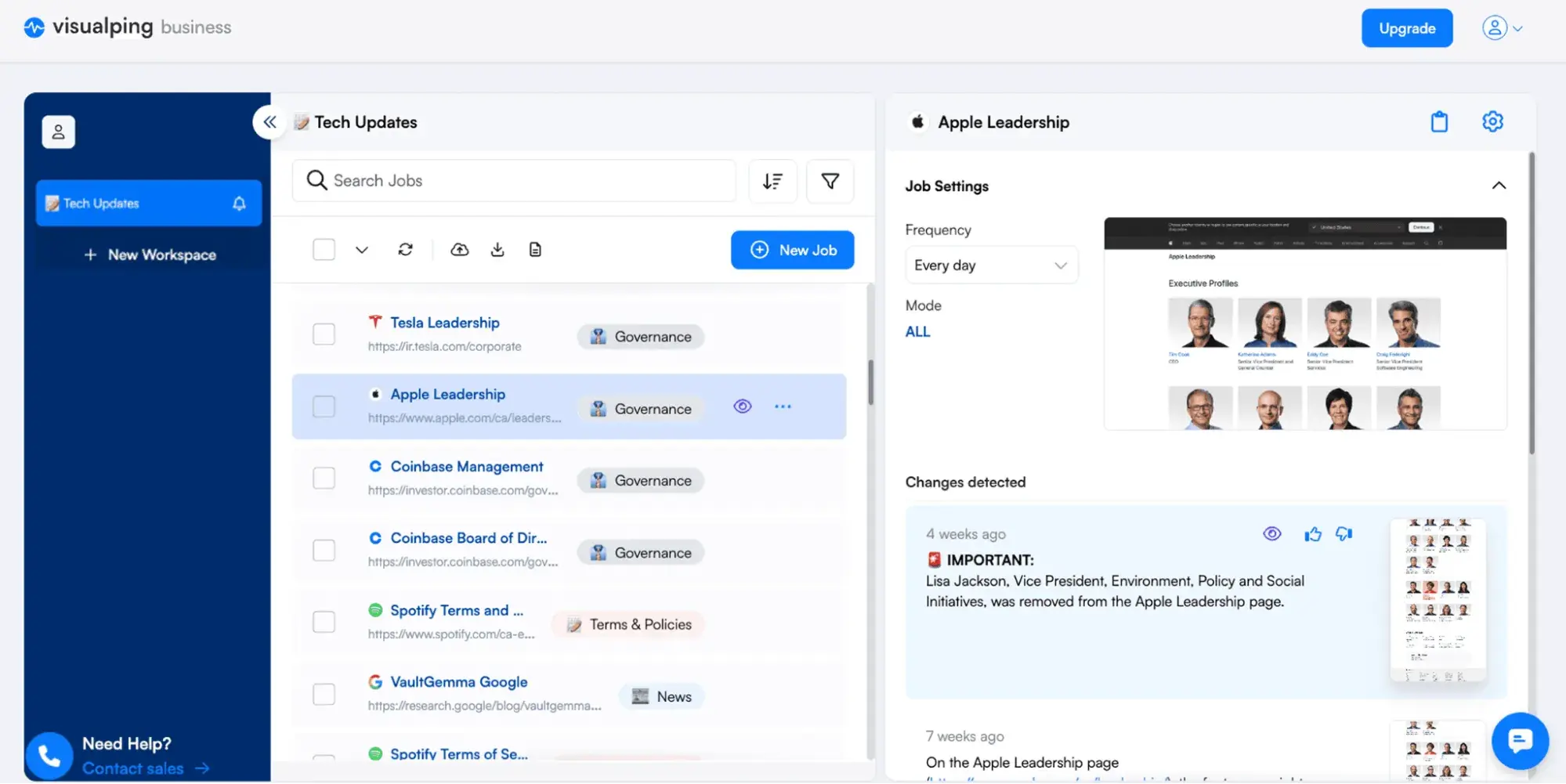
Visualping monitors any webpage you point it at — pricing pages, product pages, landing pages, job boards, etc. — and alerts you when something changes. What sets it apart from basic change-detection tools is its AI-powered filtering: You can describe in plain language what you care about (e.g., “notify me when the price drops below $50”), and Visualping will ignore irrelevant updates like footer tweaks or cookie banner changes and only alert you when your condition is met.
Visualping Pros:
- AI-powered change detection lets you describe what matters in natural language, filtering out noise that would otherwise cause alert fatigue
- Monitors virtually any webpage: pricing, product pages, careers, reviews, landing pages, social profiles, and ad libraries
- AI summaries in each alert clearly explain what changed, so you don’t have to visually compare before-and-after screenshots
- Free personal plan (150 checks/mo, up to 5 pages) lets you evaluate some features (but it doesn’t come with business features)
Visualping Cons:
- Some G2 reviewers report false alerts for minor visual changes, though enabling AI filtering should reduce this
Free Personal plan (150 checks/mo, 5 pages); paid Personal plans start at $10/mo; Business plans from $100/mo.
Best for: AI-powered website change detection that filters noise and surfaces only the changes that matter
2. Hexowatch
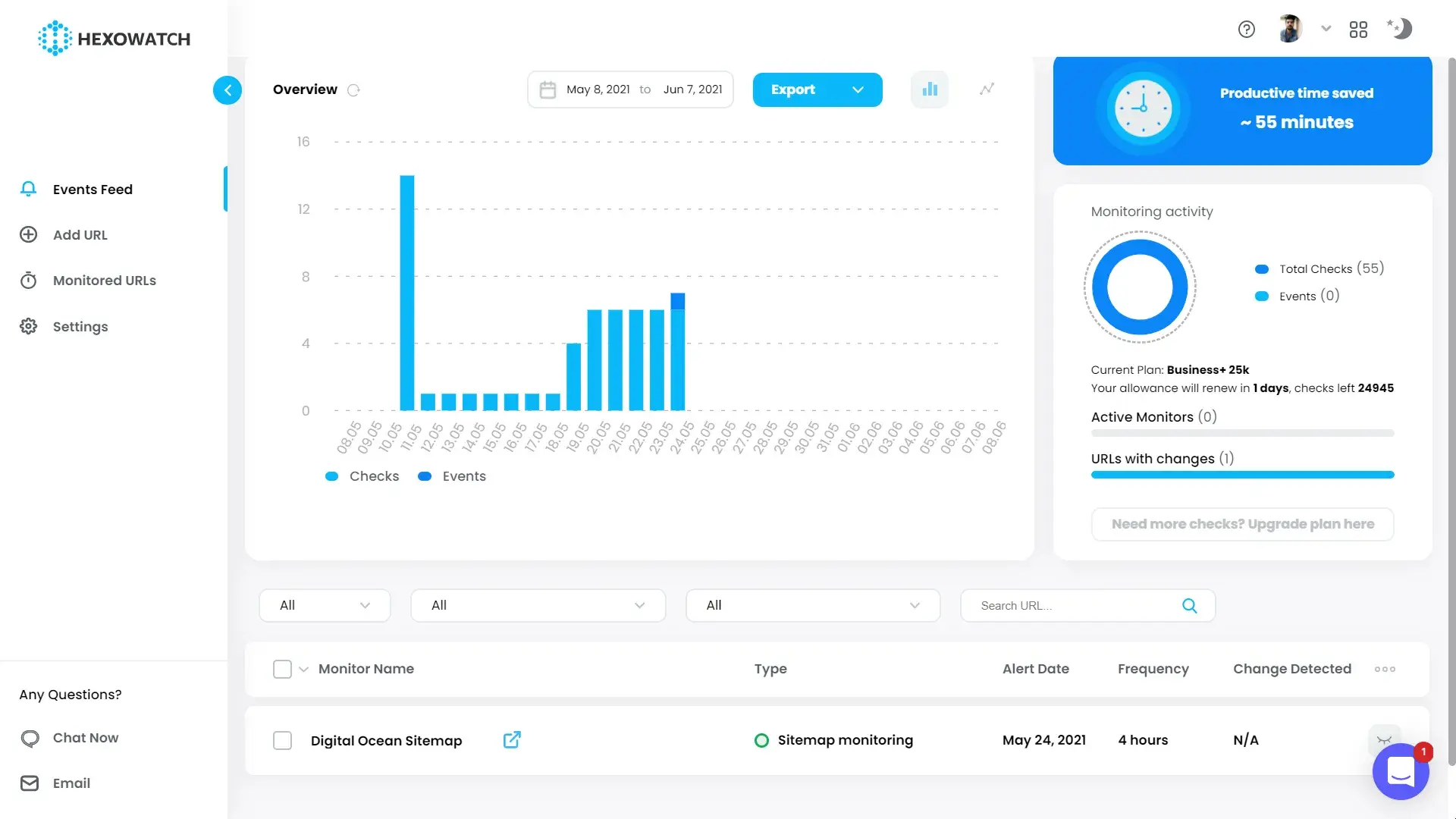
Hexowatch offers 13 distinct monitoring types: visual changes, content, source code, technology stack, availability, keyword presence, API endpoints, backlinks, WHOIS data, sitemaps, HTML elements, pricing, and RSS feeds. If you want to know when a competitor switches from React to Next.js, adds a new subdomain, or changes their DNS registration, Hexowatch catches it.
Hexowatch Pros:
- 13 monitoring types cover changes most tools miss entirely: source code, tech stack, backlinks, WHOIS, sitemaps, HTML elements, and API endpoints
- Alerts notify you of important changes
- HTML element monitoring lets you track specific fields (like a single price on a competitor’s page) without monitoring the entire page
Hexowatch Cons:
- No free plan, but it does offer a 7-day free trial of the Pro plan
- Some G2 reviewers note a learning curve
- Slower check frequency: 5-minute max compared to Visualping’s 2-minute max
Hexowatch plans start at $29/mo on monthly billing for the Pro plan, which also has a 7-day free trial.
Best for: Deep technical change monitoring across content, source code, pricing, tech stack, backlinks, and sitemaps at an affordable price
Free Competitor Analysis Tools to Start With
You don’t need a paid subscription to start building competitive intelligence. These four free tools map directly to the use cases covered earlier in this guide. With these tools, you can validate which categories matter most to your team before committing budget.
1. Semrush Free Plan
Maps to: SEO competitor analysis
Semrush’s free plan gives you 10 searches per day, 10 tracked keywords, and a 100-page site audit. This is enough to run a basic competitor domain overview, spot a few keyword gaps, and identify your most obvious technical SEO issues.
2. HubSpot AEO Grader
Maps to: AI search competitive analysis
HubSpot AEO Grader is a free competitor monitoring tool that gives you a baseline score across five dimensions: sentiment, presence quality, brand recognition, share of voice, and market position.
3. Google Alerts
Maps to: Social media and brand monitoring
Google Alerts is one of the simplest and best free competitor monitoring tools. Set up alerts for competitor brand names, product names, key executives, and industry terms, and Google will email you whenever new content mentioning those terms gets indexed.
4. Meta Ad Library
Maps to: Paid ads and creative monitoring
See exactly which ads your competitors are running across Meta platforms — no Facebook account required.
How to Choose Competitor Tracking Tools
If the list above feels overwhelming, that’s normal; there are a lot of options. Here’s how I’d narrow it down.
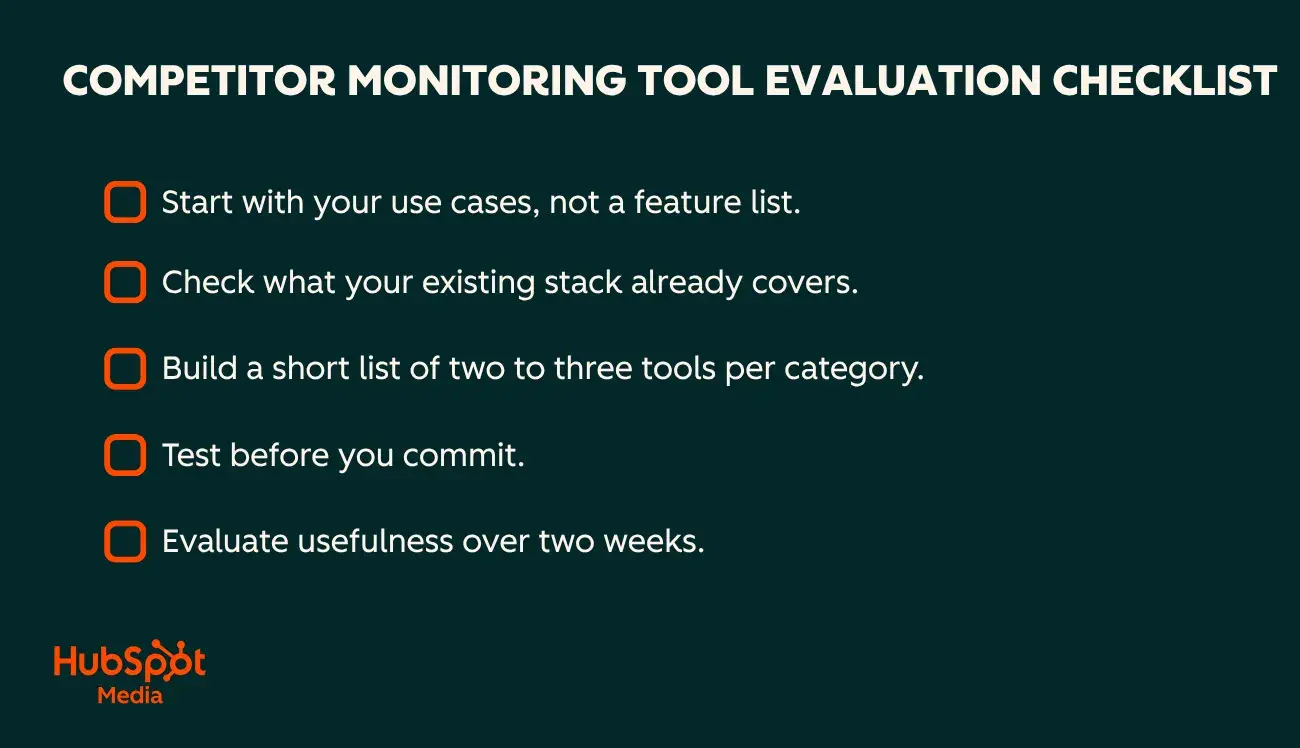
Step 1: Start with your use cases, not a feature list.
The tool categories in this guide exist for a reason: SEO monitoring solves different problems than ad creative tracking or AI visibility analysis. Before you compare vendors, identify which one or two categories match your most urgent competitive blind spots. The right competitor research tools should map directly to those gaps. If you’re losing organic traffic and don’t know why, SEO tools come first. If buyers are researching your category in ChatGPT and you have no idea whether you’re showing up, AI search tools are the priority.
Step 2: Check what your existing stack already covers.
There can be real advantages to staying within a software ecosystem you already use. Shared data, fewer logins, and tighter workflows all reduce the friction between insight and action. For example, if you’re already a HubSpot customer, signing up for the Marketing Hub Professional or Enterprise plan means your AEO prompt tracking is automatically informed by your CRM data from day one.
Step 3: Build a short list of two to three tools per category.
Use the use-case sections above to identify candidates, then cross-reference with the free tools section to see if there’s a no-cost option worth testing first. Two to three tools per category are enough to compare meaningfully without getting buried in evaluation cycles.
Step 4: Test before you commit.
Most tools on this list offer free tiers, free trials, or money-back guarantees. Use them. Run each tool against the same competitor set and the same timeframe so you’re comparing outputs directly. Pay attention to how quickly you can get to a useful insight — not just whether the data exists, but whether the tool surfaces it without making you dig.
Step 5: Evaluate usefulness over two weeks.
After a trial period, ask: Are the alerts actionable or just noisy? Can I explain what I learned to my manager in one sentence? Did I change a decision because of something this tool showed me? If the answer to all three is no, the tool isn’t solving your problem, regardless of how impressive the feature set looks on paper.
How to Turn Signals Into Action with Competitor Monitoring Tools
Picking the right tools is step one. The harder part is making sure the signals they surface actually reach the people who can act on them.
Build an integrated competitor dashboard.
Start by identifying one metric per tool category that matters most to your team right now. That might be keyword gap count from Semrush, AI visibility score from your AEO tool, or share of voice from Sprout Social. Pull those into a shared dashboard — even a simple Google Sheet updated weekly works — so your team sees the competitive picture at a glance instead of logging into five platforms.
Use your CRM to operationalize important signals.
A CRM is not where most marketers should store every piece of competitor intel. It becomes useful when a competitive signal needs to trigger follow-up, assign ownership, or add context to active pipeline and campaign decisions.
For example, if a competitor changes its pricing page, launches a new comparison page, or starts showing up more often in AI answers, that signal can be routed to the right team through Slack, email, or a CRM-based workflow. In that setup, the CRM is less of a note-taking tool and more of an action layer: it helps teams create tasks, notify owners, prioritize follow-up, and keep competitive context connected to the campaigns, accounts, or opportunities that may be affected.
That’s the difference between monitoring and action. The best competitor monitoring tools don’t just tell you that something changed. They help your team decide what to do next, while the signal is still fresh.
Frequently Asked Questions About Competitor Monitoring Tools
What is the difference between competitor monitoring tools and competitor analysis tools?
Monitoring is ongoing; analysis is a point-in-time deep dive. Competitor monitoring tools run continuously — tracking ranking changes, new ads, pricing shifts, or AI citation gaps — and alert you when something moves. Competitor analysis tools are what you reach for when you need to evaluate a competitor’s full SEO profile, ad strategy, or market positioning in one sitting. Most tools on this list do both to some degree, but knowing which mode you’re in helps you pick the right tool and avoid paying for features you won’t use.
How do I avoid alert fatigue with competitor tracking tools?
Set fewer, sharper alerts. Track only the metrics tied to actions that would actually change your decisions, such as a competitor’s pricing page changing, a new ad launching in your category, or your AI visibility score dropping. Tools like Visualping let you describe conditions in natural language so you’re only notified when something meaningful happens, not every time a footer updates.
Which free competitor analysis tools should I start with?
The four free options I covered earlier in this guide map to each use case: Semrush’s free plan for SEO keyword gaps, HubSpot AEO Grader for AI visibility, Google Alerts for brand and social monitoring, and Meta Ad Library for paid creative. Start with whichever category matches your biggest blind spot.
If the AEO Grader reveals meaningful gaps, HubSpot AEO is the natural next step for continuous tracking of brand visibility, share of voice, and prompt-level performance across answer engines.
How do I integrate competitor monitoring into my CRM?
Before choosing a tool, decide whether you need competitor signals to trigger action in your CRM or whether an alert in Slack or email is enough. In many cases, the value of integration is not in storing competitor updates in the CRM. It’s routing important changes to the right person quickly.
For example, Visualping’s Zapier integration can trigger actions in tools like HubSpot when a competitor page changes, so a pricing or messaging shift gets noticed and acted on quickly. If you’re on HubSpot, the tightest workflow is to use HubSpot AEO within Marketing Hub, where prompt recommendations are informed by your CRM data, and Professional and Enterprise customers can act on citation gaps using HubSpot’s content tools without switching platforms.